
Guide
How to Optimize Your Pack Weight in PackLite
Analyze gear weight distribution and find opportunities to lighten your pack.
What You Will Do
This guide shows you how to analyze your pack composition and identify opportunities to reduce weight. You'll see which items contribute most to your total load and get suggestions for lighter alternatives.
Before You Start
- You are logged in to PackLite.
- You have items in at least one trip.
Step 1 - Open Statistics Dashboard
Navigate to Statistics to analyze your gear weight.
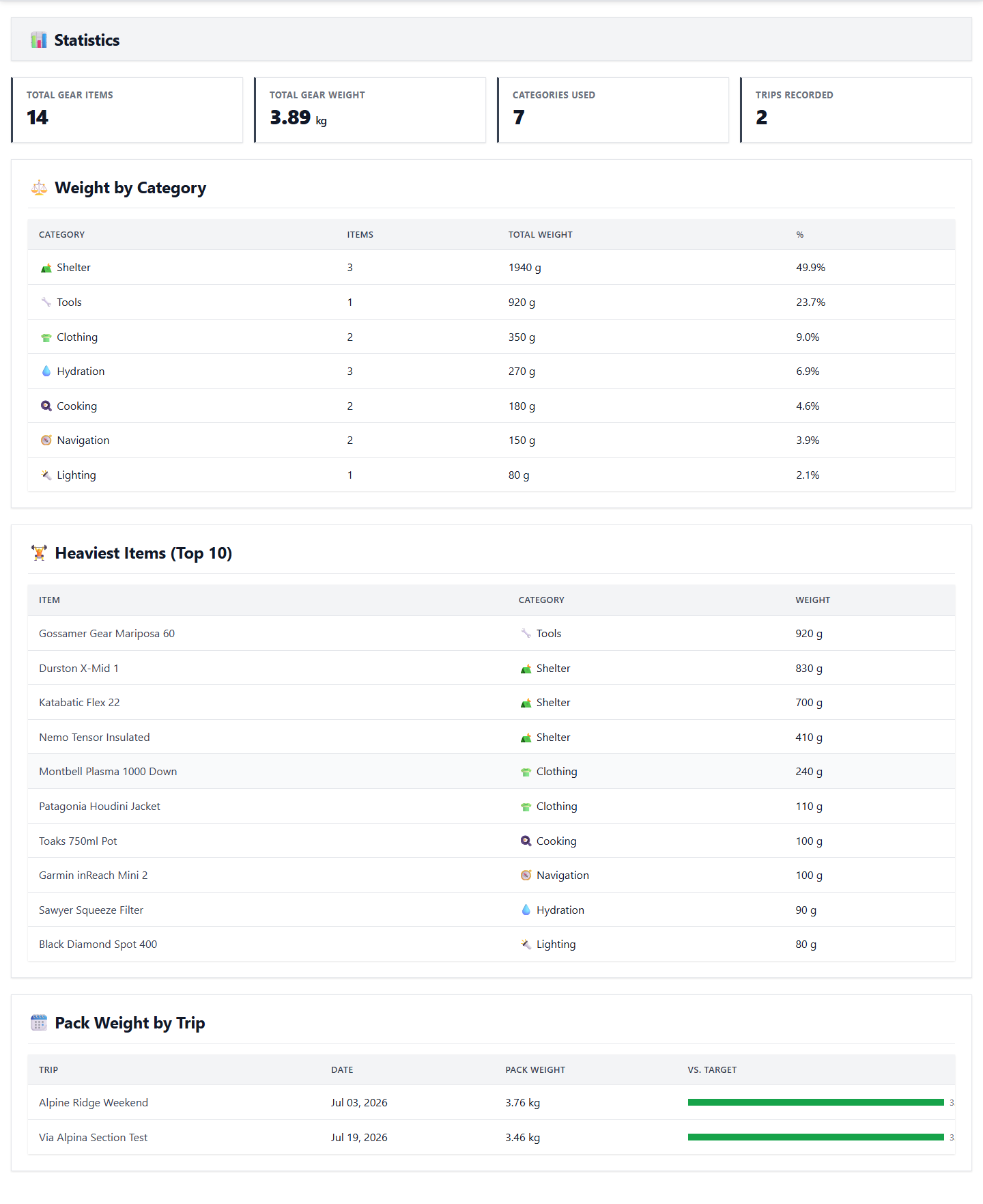
Tip: View detailed weight breakdowns and optimization opportunities here.
After Completion
- You understand your pack weight distribution.
- You can identify the heaviest items in your pack.
- You have suggestions for lighter alternatives.
- You can now create optimized pack templates.
Troubleshooting
- Incomplete weight data: Ensure all your gear items have accurate weights recorded.
- Duplicate items: Some items might have multiple entries - consolidate duplicates.
- Heavy items: Consider ultralight alternatives for your heaviest items.