
Guide
How to Use the Task Planner in PackLite
Plan and track maintenance, preparation, and trip-related tasks.
What You Will Do
This Pro feature guide shows you how to use the Task Planner to organize all your preparation and maintenance tasks. Track gear maintenance, trip prep checklists, equipment repairs, and anything else needed before you hit the trail.
Before You Start
- You are logged in to PackLite.
- You have a Pro subscription.
Step 1 - Open Task Planner
Navigate to Tasks to view and manage your task list.
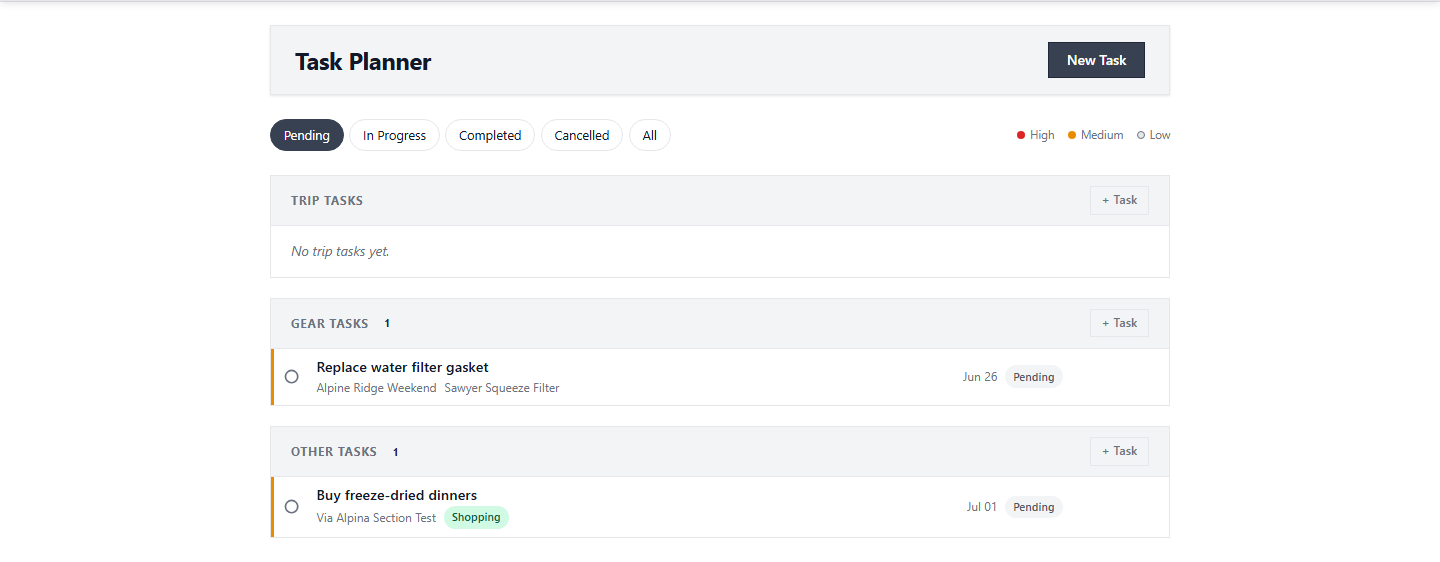
Tip: Create and organize tasks for trip prep and gear maintenance here.
After Completion
- Your task is saved and tracked.
- You can mark tasks complete as you work through them.
- Your task list helps ensure you're prepared before each trip.
Troubleshooting
- Cannot access Task Planner: You need a Pro subscription to access Task Planner.
- Disorganized tasks: Set due dates to stay organized for upcoming trips.
- Repetitive maintenance: Recurring tasks can be created for regular maintenance.